 Help
Help Practitioner spotlight; Louise
Louise Turnbull (Early Phase Leader and SENDCO) shares her experience of using writing software tools and adaptive teaching at Chapel Allerton Primary School
Using writing software tools
We use Clicker (writing software) to support multiple children across school. It has been particularly successful with our ND pupils – it supports a dyslexic profile as well as significantly supporting executive functioning skills, therefore it supports our children with ADHD and autistic profiles. Using technology has had a huge impact in our classrooms and has significantly supported our school in creating an inclusive classroom culture. Using technology has had a huge impact in our classrooms and has significantly supported our school in creating an inclusive classroom culture.
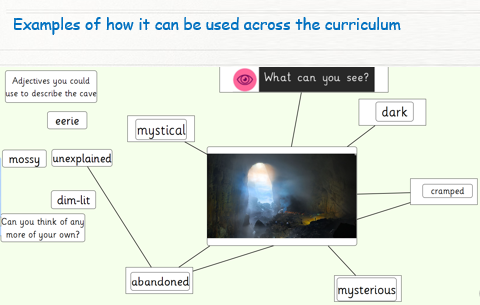
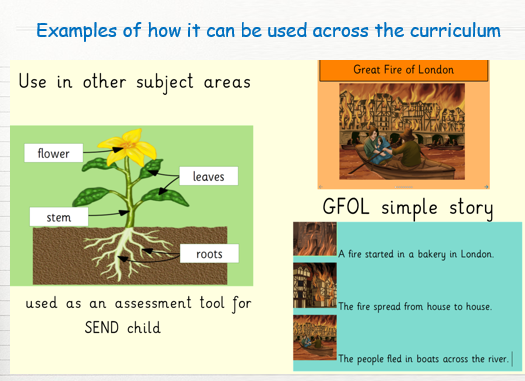
Here are some examples of pupil voice, staff voice, staff impact, how it can be used across the curriculum.
Ruby, Year 5 – “I like it because I can write down all my adjectives and writing on it is easier as I can’t write on paper. I can use the voice if I can’t spell something. I can use the words to help me. I use it for sentences, and it gives me ideas for my stories. Before I had lots of things inside that I couldn’t write as my writing is ‘messy’. Now I can get all the things and ideas that are inside out.”
Charlotte, Year 4 class teacher (new to school) “The children write a lot more on clicker and I gain a better sense of what the children can do without the writing barrier. It is like having an extra adult in your room because the children are confident to use it and it reads the sentences back to them. It increases their independence and their need for me is reduced. Sometimes, when I am planning, I realise that I would have got more from a child if they had used clicker. It is brilliant for all subjects, particularly Science.”
Sophie (Year 2 teacher), case study – impact on a teacher
- The children in my class have ‘kept up’ with their peers.
- It has reduced their cognitive load.
- I have used it as a smaller step prior to written work to practise the skills needed within units of learning.
- It has been used successfully in all curriculum areas and has enabled me to deeper my understanding of their true abilities.
- It has given the children greater independence and allowed for a more flexible staffing approach. Children know an adult would check in but were not reliant upon an adult being ‘next to them’
- My workload reduced once I became more confident, I can now create clicker sets quickly and with ease.
- The children are confident and demonstrate excellent resilience.
- It supports a strengths-based model – What can they do?
- I think about how my children can access the learning objective and what adaptations I can make to ensure all pupils can access the lesson with success.
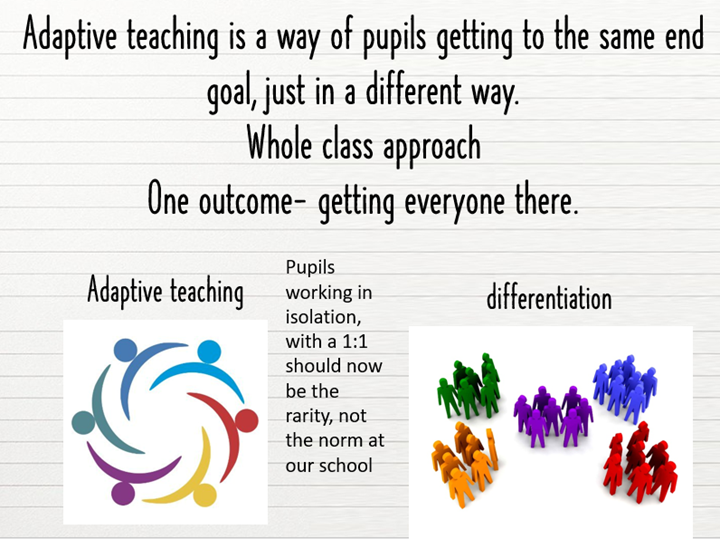
- Clicker enables me to adapt lessons rather than differentiate.
- I consider the use of technology at the planning stage, rather than in the moment to enable a provision that is inclusive by design.
- All children within the class are thriving as their individual needs are being met across all areas of the curriculum.
- Dysregulation has reduced significantly, pupils know they will access clicker and this has reduced anxieties link to writing as well as anxieties
Adaptive teaching
We have fully adopted the use of adaptive teaching across school. We have moved away from differentiation as this often meant lots of SEND pupils would do ‘different’ often non-related work to their peers. This created isolation from peers, it was a staff heavy model and it meant our SEND pupils often had more teaching assistant teaching instead of class teacher teaching. We no longer wanted to operate like that at our school. We have adopted the motto of ‘every teacher is a teacher of SEND’.
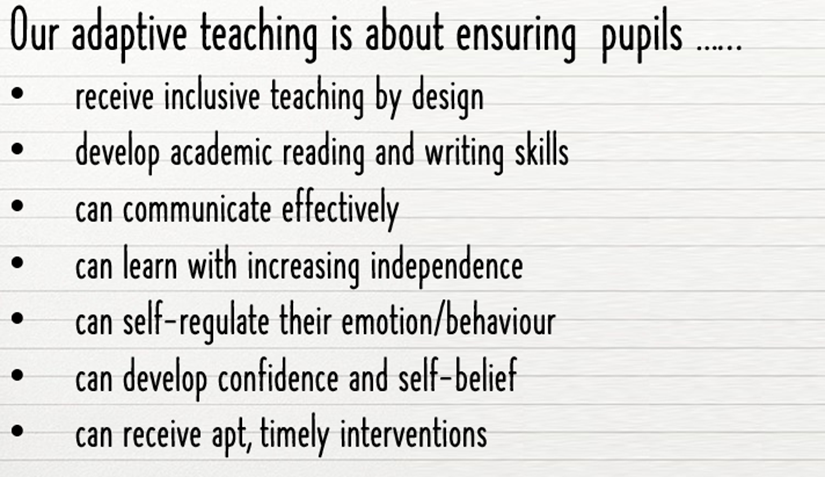
ome adaptations include:
- Flexible grouping – key aspect
- Use of Learning partners – mixed ability and heavily supports learners of all abilities
- Visual timetables
- Use of technology
- Sensory circuits provided as frequently as needed
- Movement breaks
- Uniform adaptations
- Support for structured and un-structured times for some pupils – zones in the playground that encourage calm and play as well as active spaces and opportunities to expel energy.
- Pupil voice being gathered at least 4 times a year
- Adapting lessons according to need
- Is the focus writing if not how else can the task be completed?
- Starting with a ‘What can they do’ approach not a they can’t do.
Children who struggle to attend school access the soft start breakfast club. We have seen a significant increase in attendance and it has reduced many anxieties for them.
We have a space called ‘The Hub’ – this is a space that is multi-purpose, it can be a space where children go if they need some regulation time. It is also used to support pupils who need access to play items that are more typically associated with EYFS provision when they move through school. It provides a safe space for children to start their school day – we offer a specific soft start breakfast club ran by our trained well-being worker. Children who struggle to attend school access this and we have seen a significant increase in attendance and it has reduced many anxieties for them.
Louise Turnbull, March 2026
The content above reflects the individual’s own views and experiences. Neither MindMate nor practitioners have any affiliations with any products or tools mentioned.
Inclusive practice supports all children and young people to fulfil their own individual potential. Inclusive practice benefits everyone and is part of the Leeds City Council SEND and Inclusion Practice Framework. Education practitioners across Leeds have shared their good practice and recommendations below. These are shared to inform, inspire and share good inclusive practice.